



FALLOUT 1ST
進入Fallout 1st不停輪換的公開世界,在阿帕拉契展開獨特的冒險,還可利用各式工具建造玩家專屬的自訂世界。
成為會員會員資格
會員福利

私人冒險
踏上一場專屬於你,以及至多七位朋友的私人冒險。1
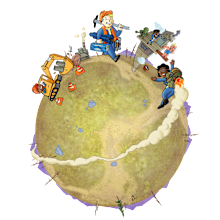
自訂世界
利用「自訂世界」打造個性化的阿帕拉契,並邀請好友加入。1
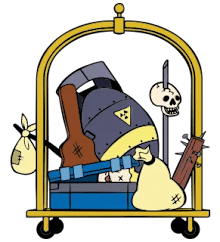
廢料盒
你專屬的全新廢料盒,擁有無上限的製作材料貯存空間。1
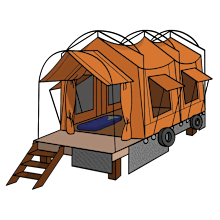
救生帳篷
利用救生帳篷放置快速移動點,附帶儲物箱、睡袋等諸多道具,滿足你的基本需求。1
原子
每月收到1,650原子,可至原子商店使用。
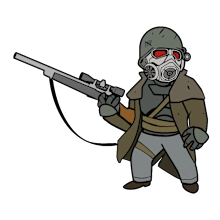
護林員裝甲服裝
經典的《Fallout》服裝,會員專屬。2
圖示與表情符號組合包
特殊圖示與表情符號,會員專用。2
外觀:
特殊外觀,會員專用。2

Fallout 1st季票
取得Fallout 1st季票。1
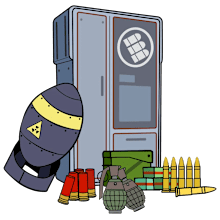
彈藥盒
你專屬的彈藥盒,擁有無上限的可堆疊彈藥貯存空間。1
急救箱
你專屬的急救箱,存放輔助道具無上限。1
目前每月獎勵
模块化展示方格
用模块化展示方格(小号、中号和大号)来展示你最喜欢的物品!11月3日之前均可免费领取。

1個月會員資格
12個月會員資格
Fallout 76 • Fallout 1st
常見問答
WILL FALLOUT 1ST MEMBERSHIP BENEFITS CHANGE OVER TIME?
We are always considering new ideas and may add additional benefits to the Fallout 1st program. We will notify members when that happens. To keep the benefits fresh, we may also change, retire, or rotate the icons, emotes, outfits and other cosmetic and utility items available at any given time.
HOW ARE THE MAIN MODES OF PLAY CHANGING WITH THE RELEASE OF FALLOUT WORLDS?
Once the Fallout Worlds update is released, you will be able to choose between four main modes of play.
- Adventure: Unchanged, this is the standard story experience of Fallout 76.
- Private Adventure: Previously referred to as ‘Private Worlds’, this mode can be started by a Fallout 1st member to create their own personal server using Adventure mode’s settings.
Two new modes available with Fallout Worlds:
- Public World: A new mode coming with Fallout Worlds, Public Worlds are a rotating series of Worlds, each with their own unique play experience hand-crafted by the team at Bethesda Game Studios, made available to all players.
- Custom World: A new mode coming with Fallout Worlds, Custom Worlds grant active Fallout 1st members the ability to customize their own World using Fallout World’s suite of features for their own personal play experience.
WHAT IS THE DEFAULT RULESET FOR MY PRIVATE ADVENTURE WORLD, AND CAN I CHANGE IT?
The ruleset, including rewards & drop rates, is the same as the ruleset for Adventure mode and not possible to change. All character progress you and your Friends make, including C.A.M.P. placement, is saved as the mode shuts down and you can resume from where you left off when the mode is restarted - the same as when you leave your game from an Adventure. Private Adventures are not persistent and once shutdown, will need to be started by the Owner again. You can complete challenges and earn S.C.O.R.E. in Private Adventure, just as you can in Adventure.
WHAT IS THE DEFAULT RULESET FOR MY CUSTOM WORLD, AND CAN I CHANGE IT?
The base ruleset, including rewards & drop rates, is the same as Adventure before any settings are changed. There are several categories of settings that can be updated, including Workshop, Combat, and General. All character progress you and your Friends make, including C.A.M.P. placement is saved as the world shuts down and you can resume from where you left off when the Custom World is restarted – the same as when you leave your game from Adventure. Custom Worlds are not persistent and once shutdown, will need to be started again by either the Owner or another Fallout 1st member with the saved Custom World by setting it as their active World. Account-wide challenges cannot be completed on Custom Worlds, nor are players able to earn S.C.O.R.E. though you will continue to earn Perk Packs as usual. Note that it is not possible to bring a character from a Custom World to either an Adventure, Private Adventure or another Custom World.
WHO CAN PLAY ON MY PRIVATE ADVENTURE OR CUSTOM WORLD, AND HOW CAN MY FRIENDS ACCESS IT?
A Private Adventure or Custom World can each host a total of eight players and must be started or joined using existing characters. Only the Owner of the Private Adventure or Custom World is required to be a Fallout 1st member, and they can invite Friends from the Social menu to lead them into a game. Alternatively, Friends can join a Fallout 1st member’s Private Adventure or Custom World from the Social menu if the Owner is currently playing on it. When the Owner leaves their Private Adventure or Custom World, it will remain active if at least one Friend is also a Fallout 1st member, otherwise, once the Owner leaves the game begins a shutdown timer, notifying all players before removing them at the end of the countdown. Friends who have played on your Custom World and are Fallout 1strs can continue playing on your Custom World without you by setting it as their active World in the play menu, though they will not be able to edit the settings further.
WHO CAN PLAY ON A PUBLIC WORLD?
Public Worlds are a rotating series of Fallout Worlds available to all players, hand-crafted by the team at Bethesda Game Studios using different combinations of the Custom World settings to provide a unique play experience. A Public World can hold a total of 24 players and must be joined using existing characters for the duration that specific Public World is available. Challenges cannot be completed on these Public Worlds, nor are players able to earn S.C.O.R.E. All character progress you make in a specific Public World, including C.A.M.P. placement, is saved when you leave your game provided that Public World is still available from the play menu when you return to the game – the same as on an Adventure or a Private Adventure. Players are not required to be a Fallout 1st member to access Public Worlds.
Note that characters linked to a specific Public World will be deleted once that Public World is no longer available from the play menu and will not become accessible again even if the Public World becomes available in the future
WHAT WORLDS DO I HAVE ACCESS TO AS A NON-FALLOUT 1ST MEMBER?
All players will have access to Adventure mode, as well as Bethesda Game Studios’ hand-crafted Public Worlds for the duration they’re available. Non-Fallout 1st Members can also join their Friends by being invited to a Private Adventure or Custom World.
CAN I SAVE A PUBLIC WORLD OR CUSTOM WORLD RULESET TO MY ACCOUNT?
Fallout 1st members can save up to three (3) separate rulesets for Custom Worlds to their account, though they can only access a single Custom World at a time. Members will be able to save their own rulesets.
CAN I USE AN EXISTING CHARACTER ON FALLOUT WORLDS OR WILL I HAVE TO CREATE A NEW ONE?
Players can join up to five (5) different Worlds with an existing character. Attempting to copy additional characters will give players the option to delete or manage older characters across Worlds. All Character progress you make is linked and saved to that specific World when you leave your game. Note that characters linked to a Public World will be deleted once that Public World is no longer available from the play menu.
DOES MY LEGENDARY PERK PROGRESS CARRY OVER BETWEEN FALLOUT WORLDS?
Legendary Perk progress is forked when you copy a character to a Public World or Custom World – you will still have access to your perks, however they must be maintained separately from Adventure.
CAN I FORCE OUT OR REPORT SOMEONE FROM MY PRIVATE ADVENTURE OR CUSTOM WORLD?
You can use the Report Player option in the Social menu to submit a report in-game, or create a ticket on Bethesda.net [here](https://help.bethesda.net/app/incident10/?prod=1129&cat=28). Blocking or unfriending a user will remove them from your Private Adventure or Custom World, and they will not be able to rejoin until you unblock or add as a Friend again. Blocking a user for the session only will remove the player for the extent of your play session.
IS IT POSSIBLE TO USE MODS ON MY PRIVATE ADVENTURE OR CUSTOM WORLD?
There is no official support for mods at this time.
WHAT HAPPENS TO MY ATOMIC SHOP ITEMS WHILE I AM ON A PRIVATE ADVENTURE, PUBLIC WORLD, OR CUSTOM WORLD?
The Atomic Shop can be accessed, and items will function the same as they do on a Public World. Consumable purchases and claiming of Consumable Season rewards are both disabled while on a Fallout World. You cannot purchase consumables for a Fallout World, though you can buy other Atomic Shop items or claim non-consumable Season rewards. Consumable items on an Adventure character who joins a Fallout World character will be usable until they are all consumed.
CAN I BRING MY CHARACTER FROM FALLOUT WORLDS TO REGULAR PUBLIC OR PRIVATE ADVENTURE MODES?
No. Characters may only be copied from Adventure or Private Adventure modes to Fallout Worlds.
CAN I PLAY THE MAIN STORYLINE IN FALLOUT WORLDS?
Yes, the main storyline will still be available to progress in Public and Custom Worlds.
CAN I EARN S.C.O.R.E. IN FALLOUT WORLDS?
Yes, you are able to progress in Seasons by earning S.C.O.R.E. from non-repeatable Daily and Weekly Challenges while playing in Public and Custom Worlds.
How do I place the Survival Tent?
The Survival Tent can be deployed from the Favorites wheel. To do so using default control settings, press up on the D-pad on Console or F key on PC, then place it using the Y button on Xbox, Triangle button on PlayStation 4 Controller, or T key on PC. The placement of the Survival Tent follows the same rules as placement of your C.A.M.P., and must be in a valid location.
1 Access to your Private Adventure, Custom Worlds, Survival Tent, Scoreboard enhancements, exclusive in-game Atomic Shop promotions and sales, and ability to deposit items in your Scrapbox, Ammo Storage Box, and Aid Box are available for the duration of membership. Your Private Adventure and Custom Worlds are provided on-demand and will shut down if at least one Fallout 1st member is not present on them. Note players are not required to have Fallout 1st membership in order to access another player’s Private Adventure or Custom World, only to start their own. In the event your Fallout 1st membership expires, you’ll still be able to access any Atoms received and resources stored in your Scrapbox and Ammo Storage Box; you just won’t be able to deposit new additional crafting components or ammo.
Atoms will be delivered monthly, with the first installment delivered at the time of purchase. Note that Atoms are placed in a wallet on the platform they were purchased from originally. E.g. Atoms received from a Fallout 1st Membership purchased on Steam will be usable in Fallout 76 when played on the Steam Launcher.
2 Ranger Armor Set, Icon/Emotes and Cosmetics made available during the time of your membership must be claimed from the Atomic Shop while your Fallout 1st membership is active, but once they have been claimed they will continue to be yours after the membership expires.
You may cancel your membership at any time. Any cancellation will be effective at the end of your then-current membership term. Bethesda reserves the right to change the fees or billing methods at any time upon notice to you via email and through your account. If you pay a periodic (e.g., monthly) subscription or membership fee for a Service, Bethesda will provide you with at least thirty-five (35) days advance notice of any such changes. You may cancel if you do not agree to such change.
- Fallout on X
- Fallout on Instagram
- Fallout on Facebook
- Fallout on Discord
- Fallout on YouTube
- Fallout on Twitch